light-header


Below are answers to questions we often receive. If you have a question, post it to our message board. We cull from this board to add to our FAQs list.
Transferware is the term given to pottery that has had a pattern applied by transferring the print from a copper plate to a specially sized paper and finally to the pottery body. While produced primarily on earthenware, transfer prints are also found on ironstone, porcelain and bone china. Ultimately, many thousands of patterns were produced on tens of millions of pieces. The process was developed in the second half of the 18th century in response to the need of the newly emerging British middle class for less expensive tableware. Many factories claim responsibility for the origin of the process, but, in fact, it was probably a combination of men and materials that came together in the English county of Staffordshire, where there had been pottery making since the 16th century. A combination of raw materials, men of science such as Spode and Wedgwood, cheap labor and new canals that connected Staffordshire to the major ports of Liverpool and London, made the transferware production possible and profitable.
At first, the transfer patterns were copied from the blue and white Chinese designs found on the hand-painted porcelain that was popular in the 18th century. At the turn of the 19th century, while potters were still using Chinese patterns as their primary source for inspiration, they began to incorporate European features into these designs. By the 1820s, arguably the golden age of transfer printed pottery, the number of potteries grew and thousands of patterns were printed to tempt any available market. The English may have lost the War of 1812, but their potters were ready to sell pottery with patterns lauding the new American nation to the American market. Important buildings, landscapes and war heroes are just a few of the patterns that appealed to Americans. There were many foreign markets, as well as the home market, to keep the potters busy.
The new technology, fueled by the Industrial Revolution, made Staffordshire the center for pottery making and development for more than 200 years. Although it has been estimated that approximately 90 per cent of British transferware was manufactured in Staffordshire, other areas of Great Britain such as Leeds, Liverpool, Swansea and Scotland were also producing transferware patterns for the mass market. It is only since the 1990s that the pottery industry has mainly moved its production off shore and out of Great Britain.
What's it worth? The simple answer – whatever you can get for it – has truth but doesn’t explain why.
Value (price) depends on three related factors: supply, demand and condition. If supply outstrips demand (popularity) then prices will be down. A beautiful piece that no one wants is valueless in the marketplace. Common pieces in poor condition are also without value save perhaps as decoration.
Conversely, if there is high demand for an item in short supply, prices will be up. Better condition adds to value. Chips, cracks or repairs usually lower value.
To determine whether your transferware piece is in demand, use this website to view dealer offerings. You might also explore internet auction and other listings and talk with knowledgeable dealers and other collectors.
The Transferware Collectors Club (TCC) web site offers many sources of information on Transferware. You will find the following pages and features particularly useful:
MANUFACTURE DATES
(a brief discussion)
Introduction
The approximate or a more specific date of manufacture of many 19th century British pottery patterns is known based on the general appearance of the pottery and pattern; manufacturers’ pattern books; correspondence; registry marks; invoices; and other sources.This information is contained in many reference books.However, the only definitive way to date a particular piece is to identify a pottery impress-date on the 'white ware' (the bisque-fired pottery item prior to decorating).These dates or date ciphers were added before firing as a potting date record.This was by no means a universal practice, but where it does exist it provides at least the year date the ceramic was actually produced.
The practical purpose of dating white ware was to distinguish older stock for earlier decoration. This allowed filling sales orders in rough potting date sequence.Unlike pharmaceutical ‘EXP.’ dates, there is no assurance regarding an impressed potting date and when an item was actually decorated with its date-attributable design.
Some Examples
Various potteries used an impressed 1 to 12 for the month combined with the year designation, e g. 5=82 for May 1882 (the = sign served as a dash).Another date form used the first letter of the month, e.g., June 1886 would be J=86; ‘Y’ was often used for July. In vertical month-year placement an alternate for the = dash was an underlined month numeral. Horizontal month-year placement may show a / between month & year digits, i.e., 10/88 for October 1888.
Additional Examples
Many reference works include dating keys. Among the keys in Geoffrey Godden’s Encyclopedia of British Pottery and Porcelain Marks are those for Minton and Wedgwood.
Magnification
A 3-power magnifier with an 8-power inset, not a loupe, is recommended for viewing both the printed mark and impressed marks, particularly to orient and identify the harder-to-read impressed mark.A stronger-power loupe tends to distort an impressed mark beyond recognition. This is an instance of greater detail being less instructive.
Early British Transferware was produced in many colors, motifs, and forms. The photos below illustrate some of the variations in British Transferware.
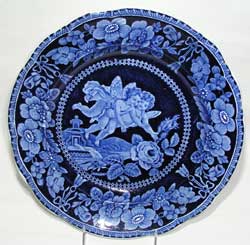 |
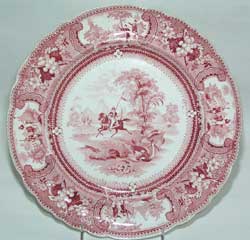 |
|
Adams & Sons, Cupid Series Plate, ca. 1825 |
Enoch Wood & Sons, Belzoni Series Plate, ca. 1835 |
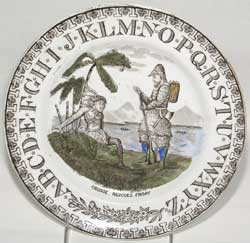 |
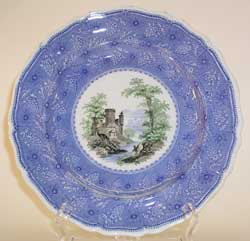 |
|
Unknown Maker, Child’s Plate, Robinson Crusoe Series, ca, 1900 |
Davenport, Three Color Transfer Plate, ca. 1835-1840 |
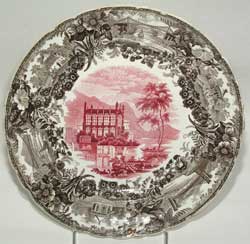 |
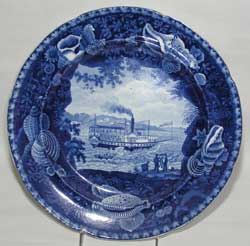 |
|
Enoch Wood & Sons, Festoon Border Pattern Plate, ca. 1835 |
Enoch Wood & Sons, Irregular Shell Border Series, Chief Justice Marshall Pattern Plate, ca. 1825 |
|
|
|
|
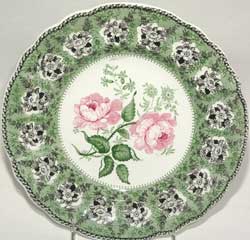
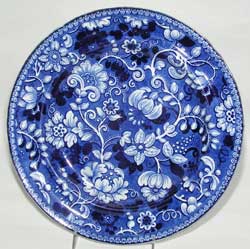
Unknown Maker, Floral Pattern Plate, ca. 1835 |
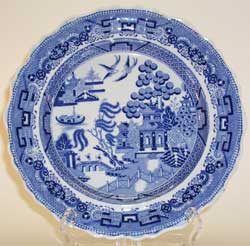
Heath, Standard Willow Pattern Plate, ca. 1820 |
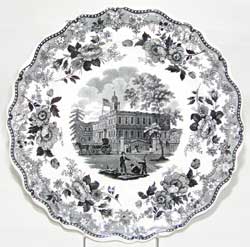 |
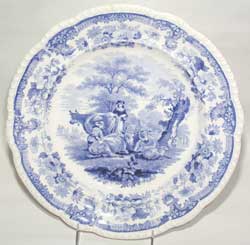 |
|
John & Job Jackson, American Scenes Series, City Hall, New York Pattern Plate, ca. 1835 |
Mayer, Cattle Scenery Pattern Plate, ca. 1830-1840 |
 |
 |
|
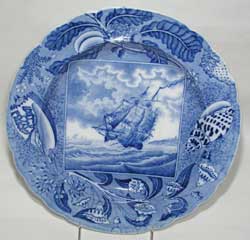
Rogers (Possibly), Shipping Series Pattern Plate, ca. 1820 |
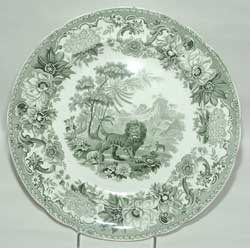
Spode, Aesops Fables Series, The Fox and the Lion Pattern Plate, ca. 1832 |
 |
 |
|
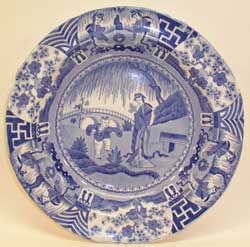
Spode, Lange Lijsen Pattern Plate, ca. 1820 |
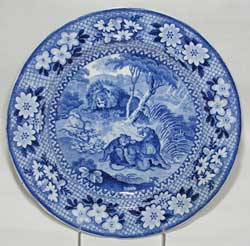
Adams, Lions Pattern Plate, ca. 1820 |
 |
 |
|
Unknown Maker, Floral Pattern Plate, ca. 1835 |
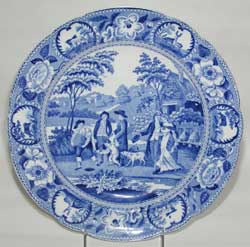
Unknown Maker, Beemaster Pattern Plate, ca. 1820 |
Classic pottery books from the turn of the (last) century featuring transferware are available (some for free) on the Net. Each is a must for serious collectors. All are occasionally available in the original edition; each has been subsequently reprinted. However, three of the four are available for free as PDF downloads.
Transferware is pottery. It can be earthenware or porcelain, ironstone or bone china. It’s most distinctive feature is a pattern that has been applied by transferring an etching onto the pottery. This is done by inking an etching which has been engraved on a copper plate, applying a specially sized paper to the copper plate, and transferring the pattern left on the inked paper onto an undecorated piece of pottery. The pottery is then dipped in water to float off the paper, glazed, and re-fired.
When first introduced, transferware was an extremely utilitarian item. Cheap wares included dinner services, tea and coffee sets, wash sets, smoker sets, vases, cheese wheels etc. As the middle class exploded in England there was a demand for these cheap wares which originally were made to imitate the more expensive Chinese exports.
Most transferware, an estimated 90%, was made in the Staffordshire county of England, but it was also produced in other areas of Great Britain such as Leeds, Liverpool, Swansea and Scotland.
Transferware first started appearing on the market in the late 18th century, and exploded in popularity in the 1820s and 1830s. Although the styles of the transfers changed over the years, it has been made continuously since then. It is only since the 1990s that the pottery industry has moved its production off shore and out of Great Britain.
Thousands. How many thousands? Ten? Twenty? No one knows.
At first the patterns were copied in style and detail from the Chinese. As transferware became more popular it was anglicized and many patterns were copied directly from prints and etchings that were popular in the early nineteenth century. In 1841, a copyright law was passed protecting these sources and the designs on the pottery became less realistic.
Early transferware can be unsigned, have the maker’s name, the pattern name or have both makers and pattern name. Many patterns made between 1842 and 1883 were registered with the Patent Office in London, and exhibit a datable registration mark on the reverse. Transferware made between 1890 and 1920 usually has ‘England’ printed on the back. After 1920 the mark is ‘Made In England’. There are numerous references in print, and of course there is the TCC Pattern Data Base, with thousands of patterns shown with information on the maker, date, etc.
No, many pieces which are made by unknown makers are particularly collectible. Value is determined by a variety of factors including: demand, date, quality of the printing, and rarity.
Yes. Although more blue was produced than other colors, colored transferware became popular in America in the 1830s and was exported in red, pink, purple, cranberry, brown, black, green, yellow, gray and various combinations of these colors.
Color doesn’t. Damage does. Restoration may or may not, although a perfect piece is usually the most sought after. Some buyers will want perfect only, although these are getting harder and harder to find. Some buyers don't care about invisible restoration if the pattern is just what they want. And a rare pattern or form may be extremely valuable even if damaged. There is no hard and fast rule.
Posting your items for sale on our Transferware “Classifieds” page is easy and free if you are already a club member . Simply click on the “Classifieds Ads" link in the left column under "Members Only" You'll be asked to Login. Next, click on the “post an item” button and list your item for sale. You can add an image of the item by simply clicking on the “add an image” button and following the easy to use directions.
If you wish to become a TCC member, click on Become a Member on the right corner of every page and complete the subscription form and, using our easy PayPal payment method, complete your membership transaction. You can chose an id and password and, when your transaction is complete, you can immedately access the Member Only portion of the site.
There are many ways to search the database. If you are searching for a particular pattern with a recognized name, you just type it in the ‘Name’ box. You don’t have to check anything else on the page if you know the name – just scroll down and click ‘Search’. If you don’t find it, the pattern may not be there yet. Sometimes there will be more than one entry for a particular pattern name. For instance ‘Lily’. At the present time, if you type in ‘Lily’, you will find 6 thumbnail images and names of patterns in the database. There is ‘Lily and Vase’, ‘Lily - Adams’, ‘Lily - Wood & Challinor’, ‘Lily and Rose’, ‘Lily of the Valley’, and ‘Water Lily’. Click on a picture if you want to go to the page that gives specific information regarding that pattern. Click on the back arrow of your browser to return to the thumbnail list. You can click on ‘Return to Search Page’ at anytime.
On the Search Page, you can type in the name of a series such as Medallion Portrait Series, scroll down and click ‘Search’. All the patterns entered in that series will appear as thumbnails with title and maker information on the left side.
If you are looking for a pattern beginning with “A” or “The” in the title, the article will appear after the other words. For instance “The Gem” will be listed as “Gem, The”. The easiest way to search that type of pattern is to just type in “Gem” in the Name box. All patterns will come up with that word regardless of where “The” is given in the title.
If you want a broader search – or just want to play around and see what you can find, try different words in the ‘Name’ line. Type in the word ‘Dog’ and see what a variety of patterns you find with that word in the title. If you want to find only dogs in Children’s patterns, click on ‘All’ under ‘Category’. Click on ‘Children’s Subjects’, then scroll down and click on ‘Search’. You do not have to choose a sub-category under the main Category although you can if you want to.
 Pot Lids are small glazed transfer-printed earthenware containers, consisting of a base and lid, which were made from the 1840s through the early 20th century (some forms of pot lids may date from the second half of the 18th century). They contained many products, such as ointments, tooth paste, cold cream, shaving products food pastes, hair pommade, etc. What do they have to do with transferware? The manufacture or retail supplier name and product, often with an image, are transfer-printed on the lids.
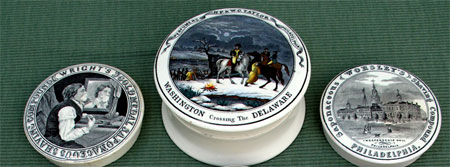
Pot lids were produced by the millions, by some of the same UK makers who produced the transferware you see elsewhere on this site, but few remain, as they were generally discarded after use. Pot lids are both mono and poly-chromatic (including so-called Prattware lids). We plan to do much more with pot lids on this web site in the future.
Examples of American-themed pot lids, generously provided by Greg Dean of Dean Antiques, http://www.deantiques.com/PLG/index.htm, are attached.
Rich with content for ceramic collectors, researchers, authors, curators, and historic archaeologists, the sites are sure to deliver value for their visitors. The exhibition’s curators continue to enhance them and, now, with site application upgrades, including a new magnification feature and upgraded content management capabilities, the TCC and its collaborators are pleased to relaunch these exhibits, all free to a worldwide audience.
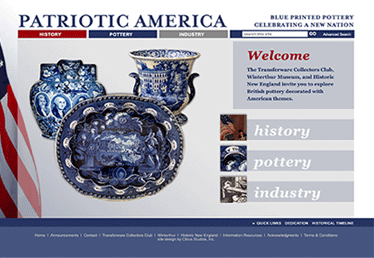
Branded Patriotic America, debuted in 2014 in collaboration with Historic New England, and the Winterthur Museum
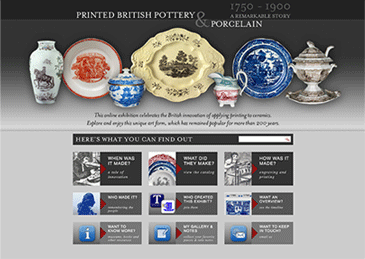
Launched in 2015 in partnership with the Northern Ceramic Society.
 Not a member but want to receive email updates?